Spotting a washed-out white mute icon or a clipped bottle shoulder on a live 9:16 story ad is a miserable Friday surprise, which is why building a review checklist for multi-format campaigns takes both a deterministic pixel pre-flight script and a side-by-side canvas review. When a product launch ships across 16:9 web heroes, 1:1 square feeds, 4:5 vertical cards, and 9:16 story covers at the same time, neither manual eye-balling in a file browser nor a blind command-line resize check is enough on its own.
Disclosure: This article was drafted with AI-assisted writing tools and includes a workflow example from Virse, where our team builds visual workspace software for creative teams.
Every creative engineer and design operations lead eventually hits the same Friday afternoon failure mode. A campaign batch for a new product SKU gets approved in a wide 16:9 desktop layout (1920x1080), and the derivatives for 1:1 (1080x1080), 4:5 (1080x1350), and 9:16 (1080x1920) get exported twenty minutes before trafficking. Everyone glances at the folder thumbnails, sees four crisp images, and signs off. Two hours later, the media buyer sends a screenshot from a mobile preview: on the 9:16 vertical placement, a bright specular highlight in the top 14 percent of the frame has completely washed out the platform's white account header and mute icon, while a tight auto-crop on the right margin sliced three millimeters off the bottle shoulder.
Those errors happen because human reviewers and scripts catch completely different defects. Human eyes are great at spotting whether the glass refraction on the 4:5 bottle matches the warm studio key light on the 16:9 hero banner, yet we're terrible at judging whether a top safe-zone band sits at a 2.8:1 or 3.2:1 luminance contrast ratio against white UI chrome. A script checks pixel geometry, safe-zone luminance, and border gradient energy across forty files in under a second, even though it can't tell you whether the brand mood holds together.
Why building a review checklist for multi-format campaigns requires both math and canvas context
Most production teams treat campaign QA as a single pass at the very end of export. In practice, multi-format defects fall into two orthogonal categories that originate at different stages of the pipeline.
The first category is cross-format art-direction drift, which happens on the creative canvas before export. When a team adapts a master product composition from 16:9 (1920x1080) down to 9:16 (1080x1920), zooming in on the center of the 16:9 frame discards 68.3 percent of the horizontal width (1.0 - (1080 * (1080 / 1920)) / 1920). Designers either extend the vertical backdrop or re-stage camera distance. If you don't view all four aspect ratios side by side on one board, subtle shifts creep in: the travertine plinth turns warmer in 1:1, shadow falloff reverses in 4:5, or the bottle label shrinks relative to frame width.
The second category is mechanical placement violation during crop framing and export. Social and programmatic placements stamp white UI chrome, progress bars, account avatars, and CTA drawers directly over the top and bottom bands of your image. When a bright window reflection or specular rim light drifts into those reserved bands, platform UI turns unreadable.
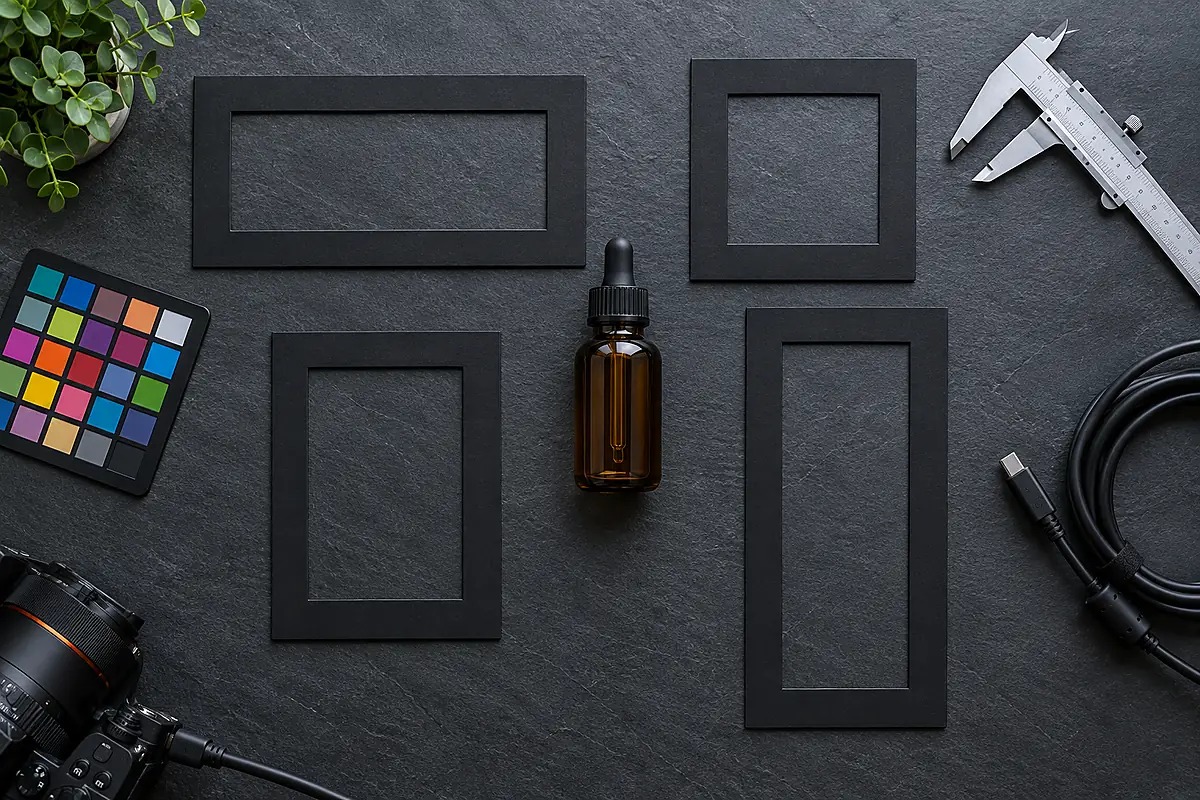
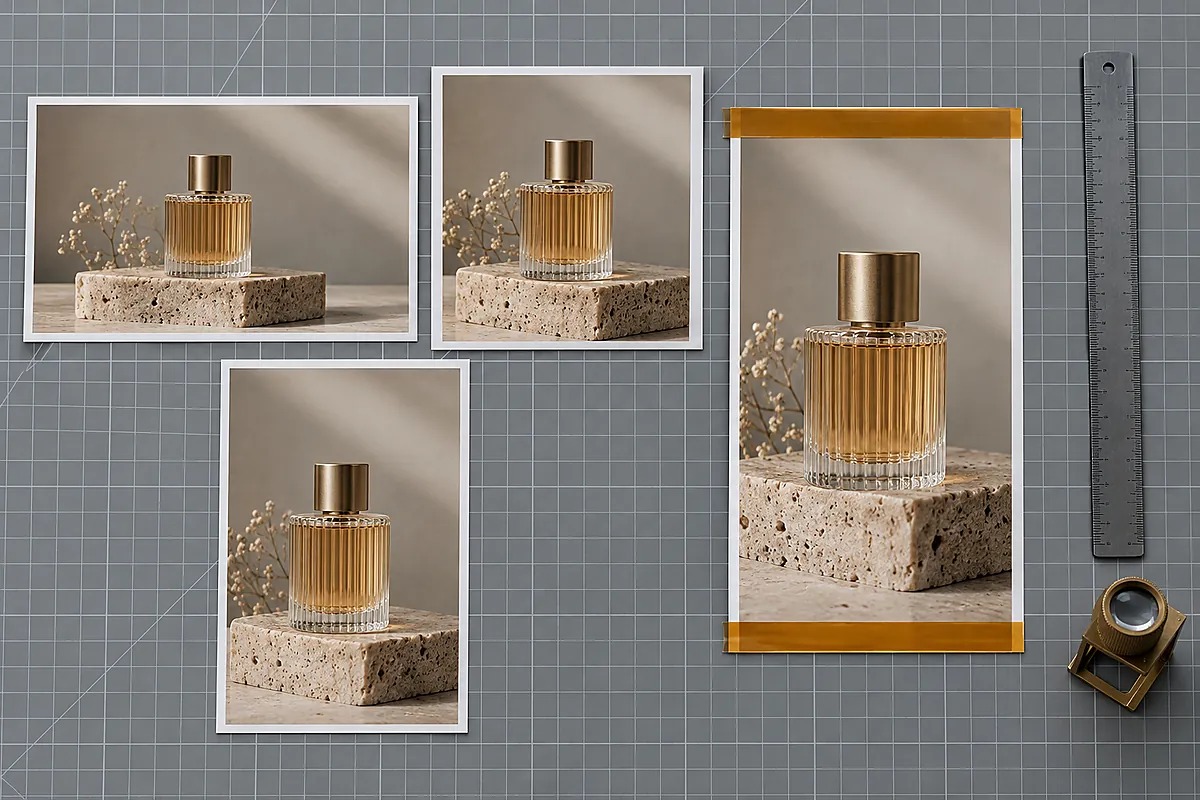 Checking top and bottom overlay margins across 16:9, 1:1, 4:5, and 9:16 prints early prevents platform UI chrome from colliding with product silhouettes or bright background highlights.
Splitting QA into an upstream canvas review and a downstream Python pre-flight gate stops both failure classes. Art directors check lighting and focal scale across all four formats on one shared surface first, and the script blocks any export that fails pixel dimensions, safe-zone contrast, or crop-edge clearance.
Multi-format geometry and UI overlay safe-zone specifications
Before writing a line of verification code, you need a deterministic specification table that defines what "passing" means for each placement slot in a standard four-format product campaign. In our production pipeline, we standardize around four canonical delivery slots (16x9_web_hero, 1x1_square_feed, 4x5_portrait_feed, and 9x16_vertical_story) and enforce three numeric invariants on every exported raster file.
| Placement Slot ID | Target Aspect Ratio & Pixel Dimensions | Top Safe-Zone Reservation (top_safe_pct) |
Bottom Safe-Zone Reservation (bottom_safe_pct) |
Minimum White UI Contrast (min_white_ui_contrast) |
Max Perimeter-to-Interior Edge Ratio (max_border_edge_ratio) |
Primary Failure Mode Caught |
|---|---|---|---|---|---|---|
16x9_web_hero |
16:9 (1920x1080) |
Top 10% (108 px) |
Bottom 12% (130 px) |
3.0:1 at 90th-percentile luminance |
1.35 across outer 18 px ring |
Transparent navbar links washing out over bright top studio backdrops |
1x1_square_feed |
1:1 (1080x1080) |
Top 8% (86 px) |
Bottom 10% (108 px) |
3.0:1 at 90th-percentile luminance |
1.35 across outer 18 px ring |
Carousel pagination dots or corner mute badges colliding with bright props |
4x5_portrait_feed |
4:5 (1080x1350) |
Top 10% (135 px) |
Bottom 14% (189 px) |
3.0:1 at 90th-percentile luminance |
1.35 across outer 18 px ring |
Off-by-one 1080x1349 export rounding and bottom sponsor-tag washout |
9x16_vertical_story |
9:16 (1080x1920) |
Top 14% (269 px) |
Bottom 20% (384 px) |
3.0:1 at 90th-percentile luminance |
1.35 across outer 18 px ring |
Story progress bars/account headers disappearing into bright top extensions and tight side crops slicing bottle shoulders |
Calculating WCAG 2.1 relative luminance inside top and bottom safe zones
Why do we set the safe-zone contrast floor at 3.0:1 against pure white (#FFFFFF, relative luminance L = 1.0)? On vertical story, reel, and mobile feed placements, the host application renders progress bars, account handles, audio toggle icons, and disclosure pills in white or near-white vector strokes. Under the W3C WCAG 2.1 Understanding Success Criterion 1.4.11 standard for Non-Text Contrast, user interface components and graphical objects require a minimum contrast ratio of 3.0:1 against adjacent background colors to remain distinguishable.
To compute that ratio accurately in Python, you can't simply average the raw 8-bit R, G, B values (0 to 255), because sRGB is gamma-compressed. Instead, we follow the exact piecewise transfer function defined in the W3C WCAG 2.1 Relative Luminance specification. First, normalize each 8-bit channel \(C_{\text{8bit}}\) into \(c \in [0, 1]\) by dividing by 255.0. Then linearize each channel:
$$ c_{\text{lin}} = \begin{cases} \dfrac{c}{12.92} & \text{if } c \le 0.04045 \[6pt] \left(\dfrac{c + 0.055}{1.055}\right)^{2.4} & \text{if } c > 0.04045 \end{cases} $$
From the linearized channels \((R_{\text{lin}}, G_{\text{lin}}, B_{\text{lin}})\), relative luminance $L$ is weighted by human photopic luminous efficiency:
$$ L = 0.2126 \cdot R_{\text{lin}} + 0.7152 \cdot G_{\text{lin}} + 0.0722 \cdot B_{\text{lin}} $$
Instead of taking the mean luminance across the entire top or bottom safe-zone strip, which can hide a localized bright highlight inside an otherwise dark header, our pre-flight check evaluates the 90th percentile of relative luminance (\(L_{90}\)) inside the safe-zone slice. The contrast ratio against pure white UI overlays (\(L_{\text{white}} = 1.0\)) is then:
$$ \text{CR}{\text{white}} = \frac{1.0 + 0.05}{L{90} + 0.05} $$
For $\text{CR}{\text{white}} \ge 3.0$, the 90th-percentile relative luminance inside the top and bottom safe zones must stay at or below $L{90} = 0.30$ (roughly #979797 in sRGB). Whenever an outpainted sky or bright countertop pushes \(L_{90}\) above 0.30 inside the top 269 px or bottom 384 px of a 1080x1920 story cover, the script flags the file before trafficking.
Detecting accidental subject clipping with perimeter gradient energy
The second geometric trap in multi-format adaptation is accidental edge bleed. When a 16:9 horizontal scene gets reframed into a narrow 9:16 or 4:5 vertical box, a secondary prop, a bottle shoulder, or a typographic subhead often sits right on the left or right crop boundary. A human glancing at a small grid thumbnail rarely notices that the ribbed glass edge of a bottle is touching pixel column 1079.
We can catch accidental perimeter clipping without running a heavyweight segmentation model by measuring first-difference gradient energy in a thin outer perimeter ring (border_px = 18 pixels wide around all four edges) and comparing it against the mean gradient energy of the interior canvas. After loading the image via Pillow's Image.convert("RGB") interface and converting to a floating-point luminance array, we compute horizontal and vertical pixel differences \((\Delta_x, \Delta_y)\) and their Euclidean magnitude \(\sqrt{\Delta_x^2 + \Delta_y^2}\).
In a properly framed studio product shot, the outer 18-pixel margin consists of smooth backdrop paper, out-of-focus stone, or a subtle vignette, so its mean gradient energy stays well below the textured product silhouette in the center (border_edge_ratio typically between 0.45 and 0.95). When a crop boundary slices directly through high-contrast product geometry, packaging ribs, or label lettering, the perimeter gradient energy spikes above 1.35 times the interior mean, triggering an immediate inspection flag.
Organizing side-by-side visual sign-off before export
Before running the command-line pre-flight gate on exported files, the creative team needs a structured way to review all four aspect ratios together so lighting, surface texture, and product scale don't drift between placements. If your source references live in a Slack thread, your bottle renders sit in three separate downloads folders, and your vertical adaptations live on a developer's local disk, nobody sees the full campaign side by side until the ad manager preview.
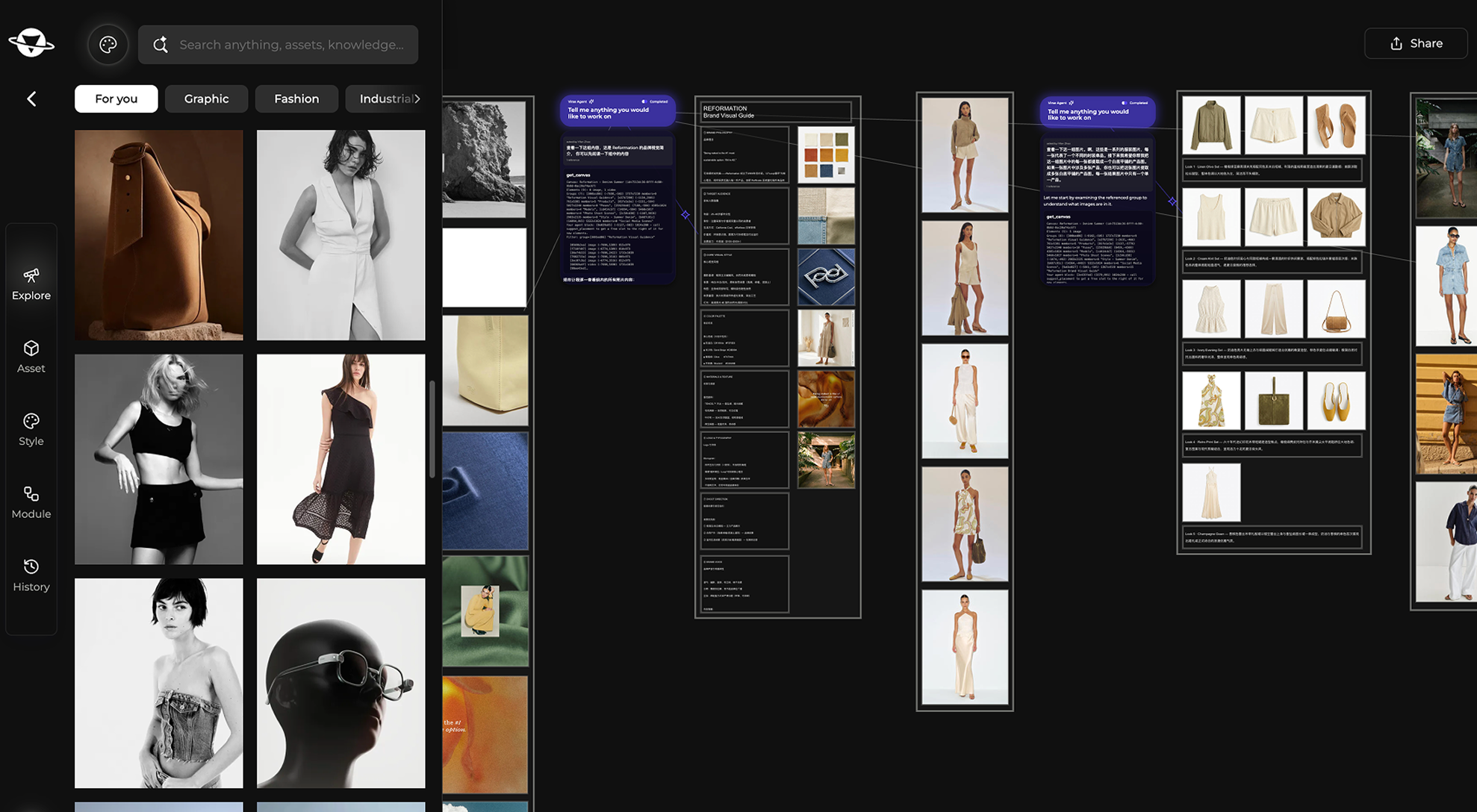
Inside the Virse design review workspace, teams keep the multi-format launch inside a single visual project structured around three folder tiers on the left sidebar. Approved lighting reference plates, backdrop stone textures, and framing guides stay in Reference & Mood (8 items), while hero product angles, cap macro details, and label refraction tests sit in Bottle Views (14 items), leaving Deliverables (6 items) strictly for the matched 16:9, 1:1, 4:5, and 9:16 campaign frames arranged side by side on the canvas.
When adapting a master frame into additional ratios without losing lighting consistency, Virse Composer operates inside that project in three steps: 01 Reads your canvas (inspecting existing images and folders on the board), 02 Gets to work (assembling the image generation and editing workflow), and 03 Creates alongside you (placing new variations directly onto the shared canvas next to the approved master).
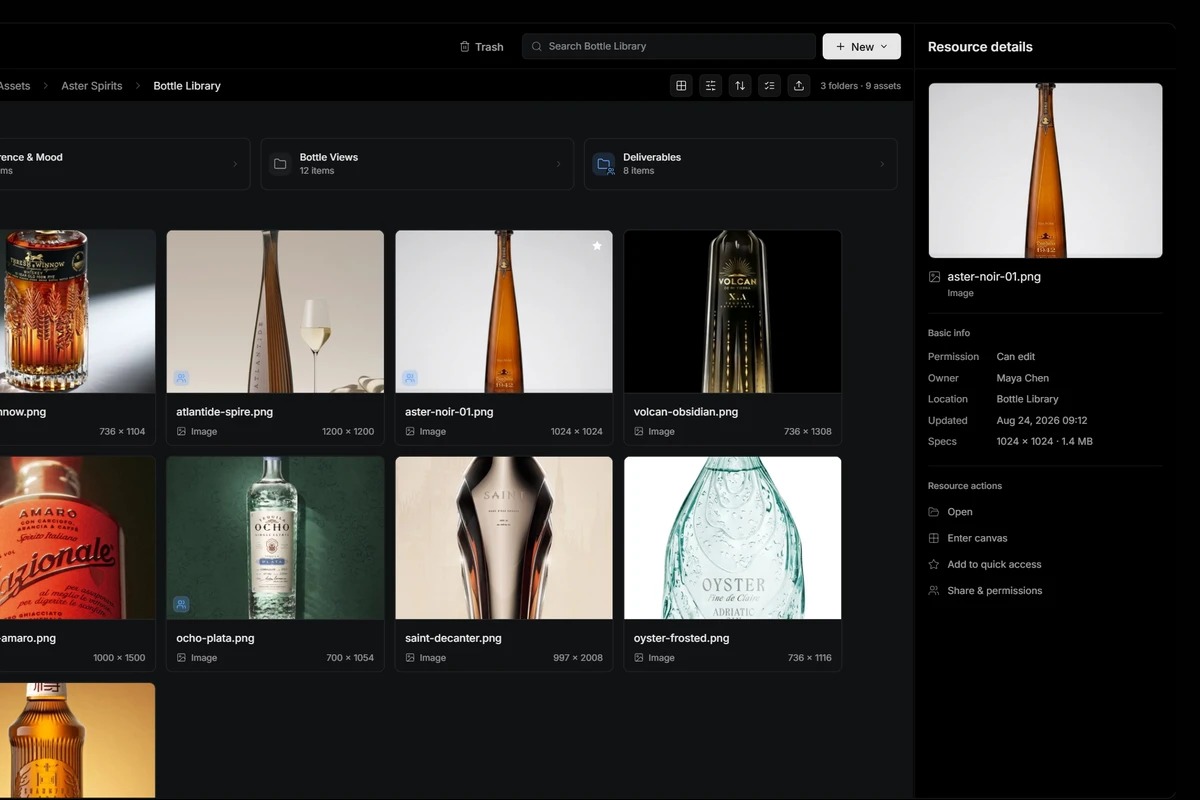 Organizing campaign assets into Reference & Mood, Bottle Views, and Deliverables folders inside the Virse workspace lets teams compare multi-format renders side by side before running automated export checks.
That shared canvas handles the visual half of quality assurance by letting art directors organize folders, generate variations in context, and align lighting across formats. It doesn't push assets directly into ad networks, calculate safe-zone luminance ratios on export, or replace your CI/CD file verification script. Once the art director approves the frames in Deliverables, you export the raster batch and hand it off to campaign_preflight.py.
Automating multi-format pre-flight checks in Python 3.13
Below is the complete, self-contained campaign_preflight.py script verified on Python 3.13 with numpy and Pillow (PIL). To make the script immediately reproducible without external image downloads, the __main__ block synthesizes a four-asset campaign batch (16x9_web_hero, 1x1_square_feed, 4x5_portrait_feed, and 9x16_vertical_story) where the first three formats pass cleanly and the 9:16 vertical story asset reproduces the two exact production bugs we discussed: a bright #EAECEF wash in the top 14 percent safe zone and high-contrast product stripes clipped along the right crop border.
"""campaign_preflight.py
Deterministic QA check for multi-format campaign exports (16:9, 1:1, 4:5, 9:16).
Verifies exact pixel geometry, WCAG 2.1 relative luminance contrast for white UI
overlays in top/bottom safe zones, and perimeter Sobel-like gradient energy to
flag accidental subject clipping at crop edges.
"""
from dataclasses import dataclass
import numpy as np
from PIL import Image, ImageDraw


@dataclass(frozen=True)
class PlacementSpec:
    slot_id: str
    width: int
    height: int
    top_safe_pct: float
    bottom_safe_pct: float
    min_white_ui_contrast: float = 3.0
    max_border_edge_ratio: float = 1.35


SPECS: dict[str, PlacementSpec] = {
    "16x9_web_hero": PlacementSpec("16x9_web_hero", 1920, 1080, 0.10, 0.12),
    "1x1_square_feed": PlacementSpec("1x1_square_feed", 1080, 1080, 0.08, 0.10),
    "4x5_portrait_feed": PlacementSpec("4x5_portrait_feed", 1080, 1350, 0.10, 0.14),
    "9x16_vertical_story": PlacementSpec("9x16_vertical_story", 1080, 1920, 0.14, 0.20),
}


def srgb_to_relative_luminance(rgb_uint8: np.ndarray) -> np.ndarray:
    """Compute WCAG 2.1 relative luminance L from an (H, W, 3) uint8 RGB array."""
    srgb = rgb_uint8.astype(np.float64) / 255.0
    linear = np.where(
        srgb <= 0.04045,
        srgb / 12.92,
        ((srgb + 0.055) / 1.055) ** 2.4,
    )
    return 0.2126 * linear[..., 0] + 0.7152 * linear[..., 1] + 0.0722 * linear[..., 2]


def white_overlay_contrast(region_rgb: np.ndarray, percentile: float = 90.0) -> float:
    """Contrast ratio of pure white UI text/icons (L=1.0) against the 90th-percentile
    brightest background pixels inside a safe-zone band.
    """
    lum = srgb_to_relative_luminance(region_rgb)
    bg_l90 = float(np.percentile(lum, percentile))
    return (1.0 + 0.05) / (bg_l90 + 0.05)


def border_vs_interior_edge_ratio(rgb_uint8: np.ndarray, border_px: int = 18) -> float:
    """Compare mean first-difference gradient energy in the outer perimeter strip
    against the interior canvas to detect cropped bottle shoulders or headlines.
    """
    gray = rgb_uint8.astype(np.float64).mean(axis=2)
    gx = np.abs(np.diff(gray, axis=1, prepend=gray[:, :1]))
    gy = np.abs(np.diff(gray, axis=0, prepend=gray[:1, :]))
    grad = np.hypot(gx, gy)

    mask = np.zeros_like(grad, dtype=bool)
    mask[:border_px, :] = True
    mask[-border_px:, :] = True
    mask[:, :border_px] = True
    mask[:, -border_px:] = True

    border_energy = float(grad[mask].mean())
    interior_energy = float(grad[~mask].mean()) + 1e-6
    return border_energy / interior_energy


def audit_asset(img: Image.Image, spec: PlacementSpec) -> dict[str, object]:
    rgb = np.asarray(img.convert("RGB"))
    h, w, _ = rgb.shape
    dims_ok = (w == spec.width) and (h == spec.height)

    top_h = max(1, int(round(h * spec.top_safe_pct)))
    bot_h = max(1, int(round(h * spec.bottom_safe_pct)))

    top_cr = white_overlay_contrast(rgb[:top_h, :, :])
    bot_cr = white_overlay_contrast(rgb[h - bot_h :, :, :])
    edge_ratio = border_vs_interior_edge_ratio(rgb)

    reasons: list[str] = []
    if not dims_ok:
        reasons.append(f"dims={w}x{h} (expected {spec.width}x{spec.height})")
    if top_cr < spec.min_white_ui_contrast:
        reasons.append(f"top_safe_cr={top_cr:.2f}<{spec.min_white_ui_contrast:.1f}")
    if bot_cr < spec.min_white_ui_contrast:
        reasons.append(f"bottom_safe_cr={bot_cr:.2f}<{spec.min_white_ui_contrast:.1f}")
    if edge_ratio > spec.max_border_edge_ratio:
        reasons.append(f"border_edge_ratio={edge_ratio:.2f}>{spec.max_border_edge_ratio:.2f}")

    return {
        "slot": spec.slot_id,
        "dims": f"{w}x{h}",
        "top_cr": round(top_cr, 2),
        "bot_cr": round(bot_cr, 2),
        "edge_ratio": round(edge_ratio, 2),
        "status": "PASS" if not reasons else "FAIL: " + "; ".join(reasons),
    }


def _build_demo_batch() -> dict[str, Image.Image]:
    """Synthesize a realistic 4-asset campaign batch where 3 formats pass and the
    9:16 vertical cover exhibits two common export bugs: a washed-out top header
    band (failing white UI icon contrast) and high-contrast geometry touching the
    right crop edge.
    """
    rng = np.random.default_rng(42)
    batch: dict[str, Image.Image] = {}

    for key, spec in SPECS.items():
        base = np.full((spec.height, spec.width, 3), (34, 42, 48), dtype=np.uint8)
        noise = rng.integers(-6, 7, size=base.shape, dtype=np.int16)
        canvas = np.clip(base.astype(np.int16) + noise, 0, 255).astype(np.uint8)
        im = Image.fromarray(canvas, mode="RGB")
        draw = ImageDraw.Draw(im)

        # Central product silhouette with textured interior detail
        cx0, cy0 = int(spec.width * 0.28), int(spec.height * 0.24)
        cx1, cy1 = int(spec.width * 0.72), int(spec.height * 0.74)
        for step in range(cx0, cx1, 14):
            shade = (185, 142, 92) if (step // 14) % 2 == 0 else (58, 44, 34)
            draw.rectangle([step, cy0, min(step + 9, cx1), cy1], fill=shade)

        if key == "9x16_vertical_story":
            # Bug 1: Bright sky/specular wash in top 14% safe zone (#EAECEF)
            top_px = int(spec.height * spec.top_safe_pct)
            draw.rectangle([0, 0, spec.width, top_px], fill=(234, 236, 239))
            # Bug 2: Misaligned crop slices product stripes along right border
            for y in range(int(spec.height * 0.18), int(spec.height * 0.85), 8):
                c = (245, 240, 230) if (y // 8) % 2 == 0 else (20, 24, 28)
                draw.rectangle([spec.width - 16, y, spec.width - 1, min(y + 4, spec.height - 1)], fill=c)

        batch[key] = im
    return batch


if __name__ == "__main__":
    demo_assets = _build_demo_batch()
    header = f"{'SLOT':<21} {'DIMS':<11} {'TOP_CR':>7} {'BOT_CR':>7} {'EDGE_R':>7}  STATUS"
    print(header)
    print("-" * len(header))
    for slot_key, spec_obj in SPECS.items():
        res = audit_asset(demo_assets[slot_key], spec_obj)
        print(
            f"{res['slot']:<21} {res['dims']:<11} "
            f"{res['top_cr']:>7.2f} {res['bot_cr']:>7.2f} {res['edge_ratio']:>7.2f}  {res['status']}"
        )
Running python campaign_preflight.py produces the following output table:
SLOT                  DIMS         TOP_CR  BOT_CR  EDGE_R  STATUS
-----------------------------------------------------------------
16x9_web_hero         1920x1080     13.80   13.80    0.77  PASS
1x1_square_feed       1080x1080     13.80   13.80    0.77  PASS
4x5_portrait_feed     1080x1350     13.80   13.80    0.77  PASS
9x16_vertical_story   1080x1920      1.18   13.80    1.84  FAIL: top_safe_cr=1.18<3.0; border_edge_ratio=1.84>1.35
Interpreting pre-flight failure metrics on the 9:16 story placement
Look closely at the two failure metrics printed for 9x16_vertical_story. First, top_safe_cr=1.18<3.0 flags the washed-out header band: because the top 269 px (14% of 1920 px) was filled with a bright #EAECEF backdrop extension (L = 0.838), white platform UI icons rendered on top of that band achieve only a 1.18:1 contrast ratio. Darkening the top backdrop gradient or adding a subtle top scrim brings top_cr back above 3.0:1. Second, border_edge_ratio=1.84>1.35 catches the right-edge crop collision: while the 16:9, 1:1, and 4:5 slots all sit at an EDGE_R of 0.77 (meaning the outer 18-pixel perimeter is calmer than the textured bottle interior), the 9:16 crop sliced through high-contrast vertical stripes along the right border, driving the perimeter-to-interior gradient ratio up to 1.84. Widening the canvas margin by 24 pixels before cropping restores clean breathing room around the subject.
One caveat on border_vs_interior_edge_ratio: if your campaign uses a full-bleed geometric pattern or repeating textile background that runs edge to edge, perimeter gradient energy will naturally hover near 1.0 to 1.2. It's normal for full-bleed patterns to carry edge contrast, so when a campaign includes an intentional outer border frame, you'll want to pass a custom max_border_edge_ratio threshold or slice the mask inward by the frame width before computing border_energy.
The two-stage multi-format campaign release checklist
To put both passes into daily use without creating bureaucracy, run this two-stage release gate before zipping any multi-format campaign delivery folder. Stage A takes three minutes on the shared visual canvas with the art director; Stage B runs automatically via campaign_preflight.py on the exported directory.
Stage A: Shared Canvas Visual Coherence Gate (Human Review in Virse)
- Confirm folder hygiene: source lighting plates stay in
Reference & Mood, approved hero angles stay inBottle Views, and final crops sit inDeliverables.- Verify key-light and shadow alignment: placed side by side on the canvas, all four aspect ratios (
16:9,1:1,4:5, and9:16) cast shadows in the same direction and softness.- Check substrate and specular continuity: bottle glass tint, cap metal brush, and stone plinth color temperature match across every placement ratio.
- Audit optical subject scale: the primary product occupies roughly
35%to55%of the safe central area in each frame without feeling cramped in1:1or lost in9:16.Stage B: Deterministic Python Pre-Flight Gate (
campaign_preflight.py) 5. Enforce exact pixel dimensions:16x9_web_hero(1920x1080),1x1_square_feed(1080x1080),4x5_portrait_feed(1080x1350), and9x16_vertical_story(1080x1920). 6. Pass top safe-zone white-UI contrast (CR >= 3.0at 90th-percentile luminance) across the top10%(16:9),8%(1:1),10%(4:5), and14%(9:16). 7. Pass bottom safe-zone white-UI contrast (CR >= 3.0at 90th-percentile luminance) across the bottom12%(16:9),10%(1:1),14%(4:5), and20%(9:16). 8. Clear perimeter crop energy (border_edge_ratio <= 1.35in the outer18 pxring) with zero clipped bottle shoulders, packaging corners, or subhead ascenders.
 Combining a side-by-side canvas review with a deterministic Python pre-flight script catches both visual lighting drift and pixel-level safe-zone failures before trafficking.
To adapt campaign_preflight.py from the self-contained demo batch to your live production folder, replace _build_demo_batch() with Image.open(filepath) mapped over your exported .png or .webp filenames and return sys.exit(1) whenever any slot status starts with "FAIL:". Hooking that script into your export task or Git pre-commit hook guarantees that an off-by-one 1080x1349 crop or a blown-out 9:16 story header gets caught on the designer's workstation in half a second, rather than in a live ad account after launch.
About the author
- Virse is an AI creative system — ideas, assets, AI models, and tools in one connected, human-led workspace. https://virse.ai/
Comments
Join the discussionNo comments yet. Be the first to comment.